These rules apply to all areas of CheatsDB, including user profiles, reviews, comments, reports, organization pages, reseller pages, product pages, Discord-related features, private messages, support tickets, and any other public or private area connected to the platform.
Staff decisions, including warnings, infractions, listing restrictions, removals, and bans, are handled by the CheatsDB team. Public arguments about penalties, reports, or moderation decisions are not accepted. If you believe a decision was incorrect, contact Support privately.
1. Critical Violations
The following violations may result in an immediate infraction, listing removal, account restriction, or permanent ban:
Scamming, fraud, chargeback abuse, impersonation, or any attempt to deceive users.
Spreading malware, stealers, RATs, keyloggers, token grabbers, or any other malware.
Promoting illegal activities such as carding, phishing, DDoS services, botnets, or unauthorized access.
Attempting to evade a ban, bypass platform restrictions, manipulate evidence, or abuse multiple accounts.
CheatsDB may also restrict users or organizations that are considered unsafe for the community, even if their exact behavior is not listed above.
2. Severe Violations
The following behavior is not allowed and may lead to strong moderation action:
Posting fake reviews, fake proof of purchase, edited screenshots, or misleading evidence.
Advertising products, shops, Discord servers, or services in places where promotion is not allowed.
Impersonating CheatsDB staff, verified organizations, or other users.
Harassing, threatening, doxxing, blackmailing, or targeting users outside of the platform.
Accusations must be based on evidence. CheatsDB is not a place for drama, revenge posts, or pressure campaigns against competitors.
3. User Conduct
Users are expected to communicate in a normal and respectful way. Insults, baiting, excessive trolling, racism, extreme toxicity, and repeated hostile behavior are not welcome on CheatsDB. Disagreements are allowed. Personal attacks are not. Criticism of a product, reseller shop, organization, or service should focus on facts, experience, and proof rather than insults or assumptions.
Do not spam comments, reviews, reports, direct messages, or support requests. Repeating the same message, flooding discussions, or abusing platform features may result in restrictions.
4. Reviews, Reports, and Evidence
Reviews and reports are one of the most important parts of CheatsDB. They must be honest, relevant, and based on real user experience.
When submitting a review or report, include enough context for staff and other users to understand the situation. Screenshots, order IDs, chat logs, payment proof, and other evidence may be requested when needed.
False reports, staged evidence, manipulated screenshots, or coordinated review abuse are treated as serious violations. This applies to both positive and negative reviews.
CheatsDB may remove, hide, or mark reviews and reports if they are unverifiable, misleading, abusive, outdated, or submitted in bad faith.
5. Listings, Products, and Advertising
Organizations, reseller shops, and products listed on CheatsDB must follow platform rules and any additional requirements set by staff.
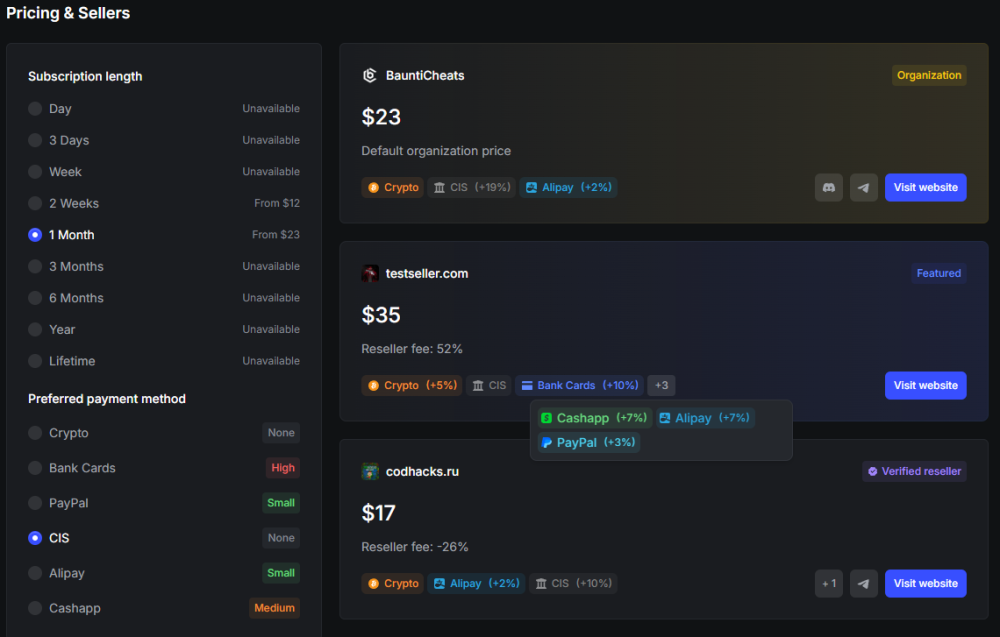
A listing on CheatsDB does not automatically mean that a product is endorsed, guaranteed, or risk-free. It means the product, shop, or service exists on the platform and can be reviewed, tracked, and documented.
Do not advertise unknown or external services in public areas unless the rules of that area allow it. Products, shops, or services already listed on CheatsDB are treated as platform-registered entries, so this restriction may not apply to them in the same way.
Misleading claims about features, detection status, safety, support, pricing, or ownership may result in warnings, infractions, listing notes, or public violations.
6. Accounts and Abuse
Each user is responsible for their own account. Sharing, selling, or using multiple accounts to avoid restrictions may lead to moderation action.
The following behavior is not allowed:
Using multiple accounts to manipulate reviews, ratings, votes, reports, or reputation.
Creating new accounts to bypass bans, mutes, restrictions, or penalties.
Pretending to be a customer, competitor, staff member, or organization representative.
Abusing bugs, private endpoints, platform systems, or moderation tools.
If you believe there is a valid reason to use more than one account, contact Support before doing so.
7. Violations and Penalties
CheatsDB uses warnings, infractions, restrictions, listing notes, temporary bans, and permanent bans depending on the severity of the violation.
Minor issues may result in a warning first. Repeated minor issues can become infractions. Critical violations may result in immediate action without prior warning. Penalties are handled case by case. Staff may be stricter with users who repeatedly cause issues, abuse trust, or harm the community. Staff may also be more lenient when a user cooperates, provides context, or clearly made a minor mistake.
CheatsDB reserves the right to act outside of the standard penalty flow when needed to protect users, the platform, or the integrity of the database.
8. Final Note
CheatsDB exists to document products, services, resellers shops, user experiences, and community-relevant information as clearly and fairly as possible.
By using CheatsDB, you agree to follow these rules and understand that the platform may change over time. Features, categories, moderation systems, listing requirements, and enforcement methods may be adjusted as CheatsDB continues to develop.


.png.4eac4c28d086b3f422385f31e8bd22a7.png "SecurityStatus (1).png")